

Bring your business to Patty
Product sales and appointment management in one panel. Apply, upload your documents and meet customers after approval.

Who can join
Four service areas
Pet shop
List your products and ship your orders.

Vet
Take appointments based on your working hours.

Grooming
Set up your services and staff.

Dog walking
Receive walk requests and share your route.

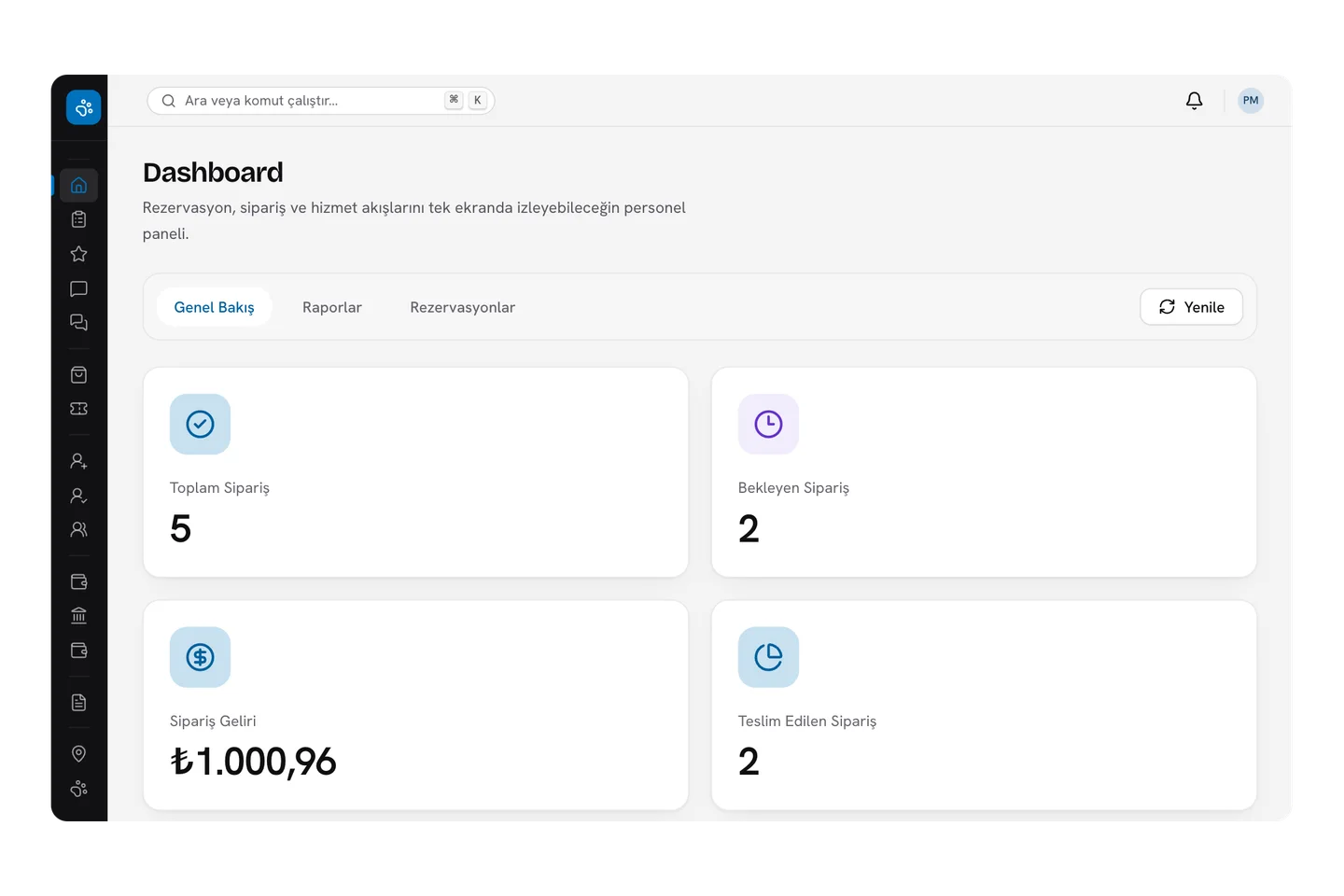
Seller panel
Your business at a glance
See your orders, revenue and pending tasks as soon as you open the panel. The data in the image is sample data.
- Order and revenue summary
- Appointment and walk tracking
- Payouts and sales reports
Inside the panel
Your daily work on one screen
Orders and appointments
See new requests, update their status and keep customers informed.
Products and stock
Add variants, colours and expiry dates; bulk upload products via CSV.
Coupons and campaigns
Create discounts for your store.
Earnings and reports
Track your sales, payouts and performance.
Messages and questions
Answer customer questions from the panel.
Vacation mode
Pause new orders and appointments while you take a break.
Application
How do I start?
Create your account
Enter your business details and verify your email and phone.
Upload documents
Add the documents required for your service area.
Wait for approval
Your application is reviewed; if something is missing, edit and resubmit.
Go live
After approval, start adding your products and services.
Questions from businesses
Can’t find your question?Write to us
Who can apply?
Pet shops, vets, groomers and dog walking providers can apply.
Which documents are required?
Documents depend on the service area. The required list is shown during the application steps.
What happens if my application is rejected?
Problem documents are marked. You can edit your details and the marked documents and resubmit.
Can I add a new service area later?
Yes. Create a request for the new area in the panel; it opens after the required documents are reviewed.
What if I want to take a break?
You can turn on vacation mode for up to 90 days. No new orders or appointments are taken during that time.
Applying takes a few minutes
Create your account, upload your documents and start selling after approval.
